Skip the Shiny Box: Why a One-Generation-Old Mac Is the Smartest Money You'll Spend
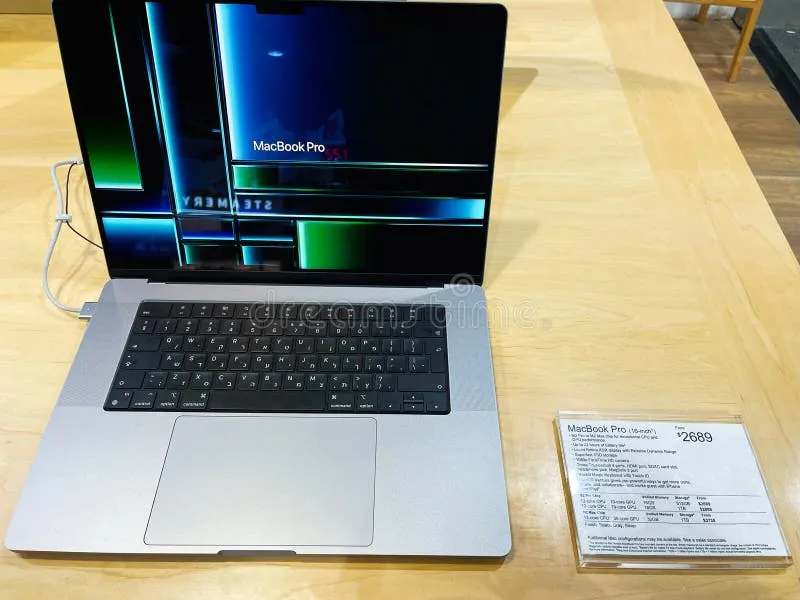
Photo: refurbished MacBook laptop on wooden desk with price tag, via thumbs.dreamstime.com
There's a moment in every Apple keynote when the crowd gasps at a new chip, and then there's the moment a month later when the previous generation quietly drops a few hundred dollars in price. The second moment is the one that matters if you're actually trying to get value.
I've been buying and recommending used and refurbished Macs for years, and the gap between "new" and "one generation old" has never been this favorable. Between tariff pressure, incremental chip updates, and a used market flooded with off-lease machines, the math has tilted hard toward the slightly-older model. Here's how it shakes out.
The Performance You're "Missing" Is Mostly Marketing
Let's get this out of the way first: the M-series chips have been so good, so consistently, that the year-over-year upgrades are rounding errors for most people. Going from an M2 to an M3 in a MacBook Air gets you a marginally faster GPU and a slightly better media engine. For web browsing, Office work, light photo editing, and a dozen Chrome tabs — the actual workload of most American professionals — you will not notice the difference. Like, ever.
What you will notice is the $250 to $400 difference in your bank account.
Real Prices, Real Numbers
I checked listings across the three main channels in early 2025, using the 13-inch MacBook Air as the test case:
- Apple Certified Refurbished: An M2 MacBook Air (16GB RAM, 256GB) was running around $749, versus $999 for the base M4 model. That's a 25% discount with a full one-year Apple warranty, a new battery and outer shell, and the option to add AppleCare.
- Back Market: Refurbished M1 and M2 Airs from third-party sellers regularly landed between $500 and $650 depending on condition grade. You get a 30-day return window and a one-year warranty from Back Market itself.
- Swappa: The Wild West of the three, but also the cheapest. Clean M1 Airs were listed as low as $430 from individual sellers. No warranty beyond whatever the seller offers, but listings require original photos and verified functionality, and the community flags bad actors fast.
Meanwhile, MacBooks Pro 14-inch units with the M3 Pro chip were showing up on Apple's refurb store for less than a brand-new base M4 Pro — with double the RAM.
The pattern holds across the lineup: last-gen, certified, is almost always cheaper than new base, and usually better equipped.
Why Right Now Specifically?
Two forces are converging. First, tariff uncertainty has made pricing on new hardware twitchier than usual, with analysts expecting manufacturers to pass along costs over time. Buying last-gen stock that's already on shelves and discounted sidesteps that entirely — you're locking in a price set before the turbulence.
Second, the used market is deep. The M1 generation sold in enormous volume to schools, offices, and remote workers during the pandemic boom, and all of those machines are now off-lease and hitting resale channels. Supply is up, which means prices are down. It's a buyer's market for Apple gear, which almost never happens.
Your Pre-Purchase Checklist
Buying used isn't risk-free, but the risks are manageable if you check the right boxes:
- Battery cycle count. macOS reports this under System Settings > Battery (or System Information on older versions). Under 300 cycles on a laptop is great; anything approaching 1,000 is a battery replacement waiting to happen.
- Activation Lock status. This is the big one for private purchases. The seller must be signed out of iCloud and Find My Mac before handoff. A locked Mac is a paperweight. Meet in person if buying on Swappa or a local marketplace, and watch them sign out.
- AppleCare+ eligibility. Check the serial number on Apple's coverage page. Remaining AppleCare adds real resale and repair value.
- Refurbisher reputation. Apple Certified is the gold standard. On Back Market, stick to sellers with a high rating and lots of transactions. Grade A/B condition usually means cosmetic wear only.
- Screen and keyboard test. On in-person purchases, open every app, type every key, and put the display on a white background to spot dead pixels and backlight bleed.
- RAM, not chip, is the ceiling. If you're choosing between a last-gen chip with 16GB RAM and a new chip with 8GB, take the RAM every time. Memory is what keeps a Mac feeling fast in year five.
When New Actually Makes Sense
I'll be honest about the exceptions. If you need the newest media engine for professional video work, or you're buying a Mac Studio-class machine for sustained heavy loads, the latest chip pays off. And if you keep computers for six or seven years, spreading the extra cost over that lifespan shrinks the discount's impact. But for the three-to-five-year upgrade cycle most of us actually run, the last-gen route is close to free money.
The Bottom Line
The Apple tax is real, but it's optional. A certified refurbished M2 MacBook Air does everything a new M4 does for the vast majority of workflows, costs a quarter less, and comes with a warranty that means you're not rolling the dice. Your wallet won't know the difference. Your spreadsheet will.