The Charger Drawer Audit: Which of Those Anonymous USB-C Bricks Is Safe to Plug Into Your Mac
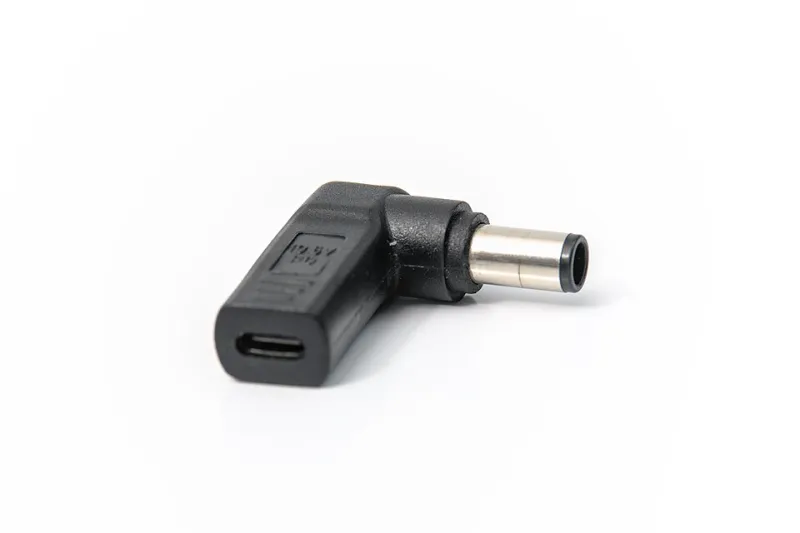
Photo: -stk, CC BY-SA 4.0, via Wikimedia Commons
There is a drawer in almost every Mac household that has become a graveyard of power. A 12W iPhone brick from 2014. A no-name 45W adapter that came with a Bluetooth speaker. Three cables in colors you don't remember buying. And somewhere in there, the good Apple brick you actually need, buried under the rest.
Most people treat that drawer as a free-for-all and grab whatever is on top. That works until it doesn't — until a laptop charges at a crawl overnight, or a brick gets hot enough to make you nervous, or a cheap cable starts to smell faintly of warm plastic. Here is how to sort the pile properly.
First, figure out what your Mac is asking for
USB-C ports all look identical, which is the entire source of the problem. A MacBook Air with Apple silicon ships with a 30W adapter for the base 13-inch, and faster charging kicks in with a 67W brick (roughly half a charge in half an hour). A 14-inch MacBook Pro usually wants 67W to 96W. The 16-inch Pro is the picky one: it wants 140W over MagSafe 3 to hit full speed, though it will happily accept less and just charge slowly.
Undersized chargers are not dangerous, just disappointing. If the brick can't deliver enough, the Mac will either refuse to charge under heavy load or fall back to a trickle, and you'll see the dreaded Not Charging message in the battery menu while you render a video.
The three things a brick has to get right
It has to speak USB Power Delivery. A real USB-C charger negotiates voltage with the laptop in steps — 5V, 9V, 15V, 20V, and for the newest high-wattage units, 28V and beyond. A fake USB-C brick that just pushes 5V at 2.4A will top up an iPhone and basically nothing else.
It needs a cable that can carry the current. Apple's rule of thumb: above 60W, the cable has to be electronically marked. Most cables bundled with phones and accessories are 60W, 3-amp parts. If you're pushing 100W or 140W, you need the appropriate cable or the charger will politely throttle itself.
It should carry real safety certification. Look for a UL or ETL mark on the housing, plus a brand whose name you can search. An adapter with no markings at all is a gamble on the cheapest imaginable components.
Reading the fine print (literally)
Turn the brick over. A decent adapter prints its input range (100 to 240V matters if you travel), its output profiles, and a model number you can look up. Two quick physical checks are surprisingly effective. First, weight: a genuinely capable 65W brick feels dense because of the heatsinking and shielding inside. A suspiciously light brick is a shell. Second, touch it after 30 minutes under load. Warm is normal. Too hot to hold comfortably is not.
The cable is half the story
People obsess over the brick and then use a gas station cable that has been flexed 10,000 times. Check for exposed shielding near the connector, check that it clicks in firmly, and be suspicious of anything that only works at a specific angle. If a cable is frayed at the strain relief, toss it — that's the failure point that actually causes problems. Keep one short, thick, high-wattage cable as your dedicated charging cable and leave it coiled in your bag.
One more thing worth knowing: the USB-C to MagSafe 3 cable is its own animal. It's rated for the full 140W and it only does one job. It won't charge a non-Apple device, and you can't use it for data.
The warning signs that mean throw it away
- No markings whatsoever, or a brand name that returns nothing in a search
- A loud whine or buzz while charging (a faint coil whine is common, a screech is not)
- Sparks, arcing, or a loose, wobbly port
- Any burn smell or discolored plastic
- A brick that runs hot even with nothing attached
- Mystery adapters bought at a convenience store, airport kiosk, or hotel front desk pile
- Old USB-A bricks paired with a USB-C cable — technically fine, painfully slow
The 15-minute test that ends the debate
Buy a USB-C power meter. They run $15 to $30 and look like a little inline dongle with a screen. Plug the meter between your charger and your Mac, and it will show you the negotiated voltage, the current, and the resulting wattage in real time.
Start with the Mac idle at the desktop and note the number. Then open something heavy — a video export, a big Xcode build, a Photos library sync — and watch it settle. Compare what you see against what the charger claims on its label. If a brick advertises 65W and never gets past 30, it's lying or it's failing. Do the same test with each cable you own, because the cable is frequently the bottleneck. Then run everything for half an hour and check temperatures.
Five minutes per charger, and you'll have a definitive keep-or-toss list instead of a drawer full of maybes.
The travel kit I'd actually pack
You do not need Apple's most expensive brick. One reputable 65W to 100W GaN charger with two USB-C ports covers a MacBook Air, a MacBook Pro, an iPad, and a phone simultaneously. Add a 100W-rated cable, a short 240W cable if you're on a 16-inch Pro, and a plug adapter for international trips. That whole kit costs less than the 140W Apple adapter alone, weighs about the same as a deck of cards, and replaces four bricks in your bag.
The honest bottom line
Keep the branded bricks, keep the Apple originals, keep anything with certification marks and a clean power test. Toss anything anonymous, hot, buzzing, or frayed. And stop charging your laptop on a bed or a couch cushion — no adapter on earth is designed to dissipate heat into a comforter.
The drawer can be useful again. It just needs an audit first.