TSA-Proof and Turbulence-Ready: My 20-Minute MacBook Ritual Before Every Flight
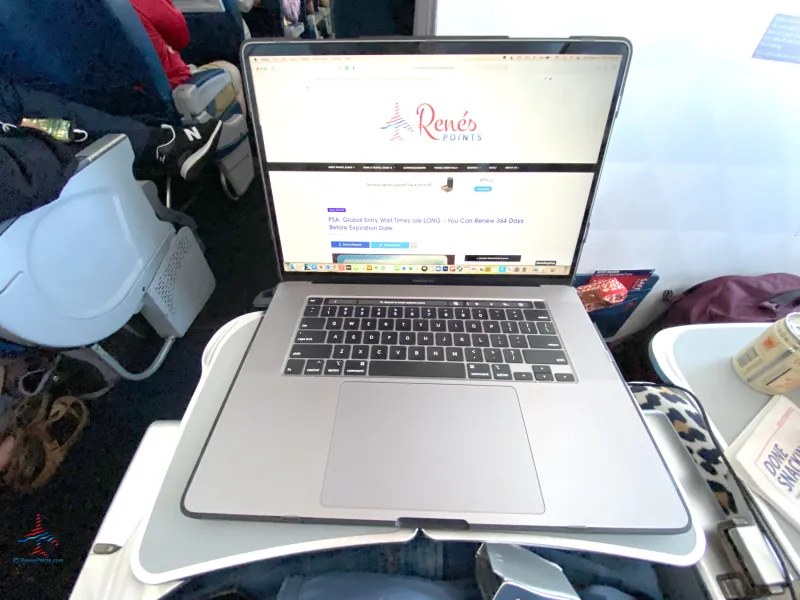
Photo: macbook laptop airplane tray table traveler window seat, via eyeoftheflyer.com
I fly out of O'Hare a few times a month, and I've learned the hard way that a Mac that works great at your desk can fall apart the second you're on a plane. The seatback tray table is not a desk, the Wi-Fi is a rumor, and the gate is loud. So a while back I stopped winging it and built a pre-flight routine. It takes about 20 minutes the night before, and it has quietly saved me from more disasters than I can count.
Here's the full checklist, in the order I run it.
Go Offline Before the Airline Does
The single biggest travel mistake is assuming you'll have internet. You won't — or it'll be the $8 in-flight kind that drops every time someone streams a show.
The night before, flip on Wi-Fi: Off and work for ten minutes. Whatever breaks, fix it:
- Download documents locally. Anything in iCloud Drive that matters gets right-clicked and pulled down. The little cloud icon next to a file means it's not on your machine — don't learn that at the gate.
- Pre-download entertainment. Spotify, Netflix, and Apple TV all let you save content offline. Do it at home on real Wi-Fi.
- Save maps. If I'm headed somewhere new, I grab an offline copy in Apple Maps before I leave.
- Email. I draft replies while connected and let them queue up in Mail to send when I land.
Ten minutes of downloading beats three hours of a spinning beach ball over Kansas.
Lock Down Find My and the What-Ifs
A laptop in transit is a laptop at risk. Before every trip I spend two minutes making sure that if the bag goes missing, I'm not helpless:
- Open System Settings > [Your Name] > Find My and confirm both Find My Mac and Find My network are on.
- Make sure FileVault disk encryption is enabled. If someone steals the machine, all they get is a very expensive brick.
- Set a strong login password — not the four-letter one you type in front of strangers at the coffee shop.
- Double-check that iCloud Recovery contacts or keys are set, so you can get back in after you panic-remote-lock everything.
Sort Out Your Internet Fallback Plan
Airport Wi-Fi is a last resort, not a plan. Mine looks like this:
- Personal hotspot first. I confirm my iPhone's hotspot works and turn on Maximize Compatibility if I'm on an older Mac. One caveat: hotspotting will drain your phone fast, so bring a cable.
- Download the airline app. Several carriers let you message or rebook without paying for Wi-Fi.
- Know your offline passwords. If your password manager requires an internet connection to unlock (most don't, but verify), you want to find out in your living room, not at a hotel check-in desk.
Battery: Work the Angles
In-flight outlets exist, but they're not guaranteed to work — I've had a whole row of dead USB ports on a Denver connection. So:
- Charge to 100% before leaving, even if you normally baby your battery with optimized charging. Travel is the exception.
- Check your battery health under System Settings > Battery. If your maximum capacity is in the basement, temper your expectations.
- Drop the display brightness to ~40% and enable Low Power Mode on the flight. An M-series MacBook can genuinely last a coast-to-coast movie marathon this way.
- Bring a USB-C cable and a 20W+ wall adapter. The airport floor outlet near the charging bench is the most valuable real estate in the terminal.
Make Security Checkpoint Painless
TSA is its own boss fight. A few habits that speed it up:
- Know whether your bag requires pulling the laptop out. Many modern checkpoint lanes let laptops stay in bags, but rules vary by airport — when in doubt, keep the Mac somewhere easy to grab.
- Disable FileVault? Never. But do close the lid and lock the screen before setting the bag in the bin. Shoulder surfing at security is a real thing.
- If you use your Mac to display a mobile boarding pass, take the screenshot before you get in line. Nothing like a spinning load animation while a line builds behind you.
The Night-Before Sweep
Finally, my five-minute wrap-up:
- Run any pending macOS updates at home, on your own Wi-Fi, with time to restart.
- Verify your presentation or key files open correctly — actually open them.
- Quit apps that auto-sync so they don't fight the airplane mode.
- Pack the charger, cable, and adapter. Every single time. Even the "short" trip.
The Whole Point
None of this is complicated — it's just deliberate. The people calmly working at 35,000 feet aren't luckier than the person frantically hunting for a signal; they just spent 20 minutes the night before making luck irrelevant. Build the checklist once, run it before every trip, and your Mac becomes the one part of travel day that never goes sideways.
Safe travels — and charge your phone, too. You'll thank yourself at the rental car counter.