She's 68, She Runs a Podcast Out of Her Kitchen, and She Uses the Same Free App That's Been Sitting on Your Dock for Years
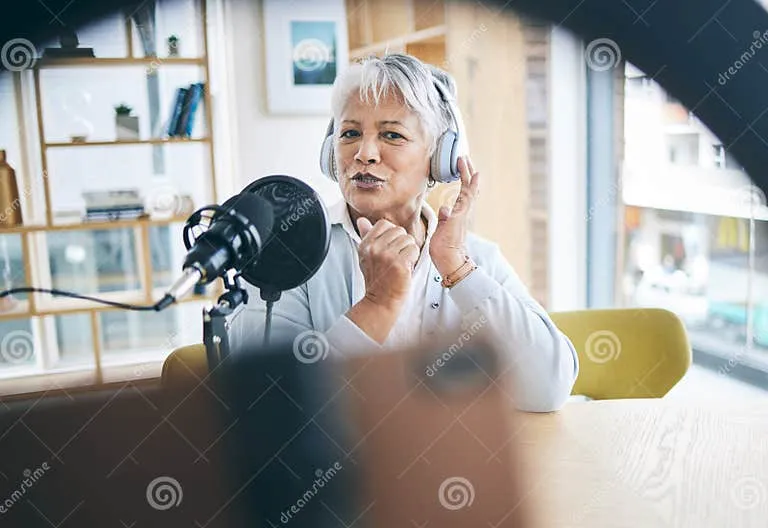
Photo: senior woman recording podcast at iMac in home kitchen studio with microphone, via thumbs.dreamstime.com
There's a 2013 iMac humming away in a kitchen in Granville, Ohio, and it's doing more real creative work than most brand-new Macs I see on social media.
It belongs to Dorothy Hensley, 68, who taught middle school band for 31 years before retiring. These days she produces Granville Voices, a local history podcast that's less about charts and more about the woman who ran the hardware store for four decades and the fire chief who never missed a Tuesday meeting in 22 years. She records, edits, and publishes the whole thing herself.
Her software bill? Zero dollars. Her app? GarageBand — the one gathering digital dust on your Dock right now.
The Setup Is Almost Embarrassingly Simple
I asked Dorothy to walk me through her rig, expecting at least a USB interface and a condenser mic. Here's the full inventory:
- That aging 27-inch iMac, still chugging along on a replaced hard drive
- A $79 dynamic microphone (a friend's recommendation, plugged straight into the Mac)
- A pair of wired headphones she bought "when the kids still watched DVDs in the car"
- GarageBand, free, pre-installed
That's it. No mixer, no acoustic panels, no subscription. She records in her kitchen at mid-morning — after the school buses run, before the mail arrives — because the room is quiet and the coffee is fresh.
When I pointed out that her audio sounded cleaner than podcasts I've heard backed by real budgets, she shrugged. "Thirty-one years of listening to seventh-graders miss a B-flat teaches you what actually matters in a recording. It's not the equipment."
The Accessibility Features Doing the Heavy Lifting
Here's the part that genuinely surprised me, and it's worth knowing even if you're not a senior: the macOS settings that make GarageBand workable for Dorothy would make most workflows smoother for anyone.
Zoom and Hover Text. Dorothy keeps Hover Text enabled, so holding a modifier key shows a large, high-contrast preview of whatever her cursor touches. Menu labels in GarageBand are small; now she reads them without leaning toward the screen.
Dictation for show notes. She drafts episode summaries by speaking instead of typing. For anyone with arthritis — or anyone who thinks faster than they type — this is quietly one of the best features on the Mac.
Track locking to prevent disasters. Early on, she deleted a finished vocal track with a stray click. GarageBand's track lock (the small padlock on each track header) now protects anything she's happy with. "It's the digital version of putting sheet music back in the folder," she told me.
Reduced Motion. All the sliding and zooming animations in modern macOS made her slightly queasy. Turning them off in Accessibility Settings made long editing sessions tolerable.
None of this required a visit from a grandchild. She found most of it in System Settings on her own, then taped a handwritten cheat sheet inside a kitchen cabinet — which, honestly, is a better documentation system than most offices have.
Her Beginner Roadmap, Condensed
Dorothy gets emails from listeners asking how to start their own show, so she wrote out her advice. I'm sharing it nearly verbatim because it's better than most paid courses:
- Record three episodes before telling anyone. By episode three, you've made your worst mistakes in private.
- One microphone, one room, one time of day. Consistency beats quality early on. Listeners forgive room tone; they don't forgive episodes that vanish for a month.
- Learn exactly four things in GarageBand: record a track, trim the ends, lower the volume of your intro music under your voice, and export. Everything else is optional.
- Save a template. Her show opens with the same two tracks — voice and music — so every episode starts ready to go.
- Publish before it's perfect. "In teaching we said, done is better than beautiful. Same rule applies."
That last point is the whole philosophy. Dorothy's show isn't chasing the algorithm; it's a town archive that happens to be downloadable. Twenty-two episodes in, the local library archives every one.
The Takeaway for the Rest of Us
It's easy to assume podcasting requires a gear closet and a $15-a-month hosting plan before day one. Dorothy's kitchen studio argues otherwise. The Mac — even a twelve-year-old one — plus the free software Apple ships with every machine covers the entire production chain: record, edit, export.
So the next time you open GarageBand to move it to the Trash, maybe open it instead. Worst case, you close it again. Best case, you're three episodes away from preserving something worth keeping.
Dorothy's parting advice: "People your age overthink it. People my age don't think we're allowed to. Both groups should just press record."
Got a GarageBand project you've been sitting on, or a Mac setup doing unexpected work? We'd love to hear about it.